


If you’ve been using Pet Watch for a while, you already know how much we care about making pet care as smooth and stress-free as possible – for both pet parents and pet sitters. And if payments ever felt like the one thing that didn’t quite match that promise, we’ve got really exciting news for you.
We’ve just upgraded the business payment experience in Pet Watch with the integration of Mamo Pay – replacing the old Telr payment system and bringing a faster, more intuitive way to pay and get paid. Whether you’re booking a pet sitter for a weekend or running a full-time pet care business, this update is going to make your life easier.
Let’s break it all down.
Why We Upgraded Our Pet Watch Payment System
Honest moment: the previous payment setup, Telr, worked – but it wasn’t the sleekest experience. There were extra steps, it could feel clunky on mobile, and for new users especially, it created unnecessary friction right at the worst moment: checkout.
We listened to your feedback, and we knew it was time for a change.
After looking at what was out there, Mamo Pay stood out for all the right reasons – strong local support in the UAE, fast processing, and the ability to handle both payments and payouts in one system. It’s built specifically for the UAE and the wider GCC region, and it shows. Clean, reliable, and designed with modern digital payments in mind. The integration brings a much more fluid experience – and yes, that includes Apple Pay and Google Pay support.
What Is Mamo Pay and How Does It Work in Pet Watch?
Mamo Pay is a UAE-based payment platform that makes it easy to send and receive money securely. It’s trusted by businesses across the region and is known for being straightforward to use – no confusing steps, no unnecessary redirects.
We use Mamo Pay to provide a secure, reliable, and seamless payment experience for everyone on the platform. When you book a service, your payment is processed safely and sitters receive their share automatically – no manual transfers, no waiting around, no confusion. It’s one system handling everything end to end, which means full transparency and peace of mind for both pet owners and pet sitters.
Here’s what Mamo Pay brings to the Pet Watch app:
- Faster checkout – Pay for services in just a few taps.
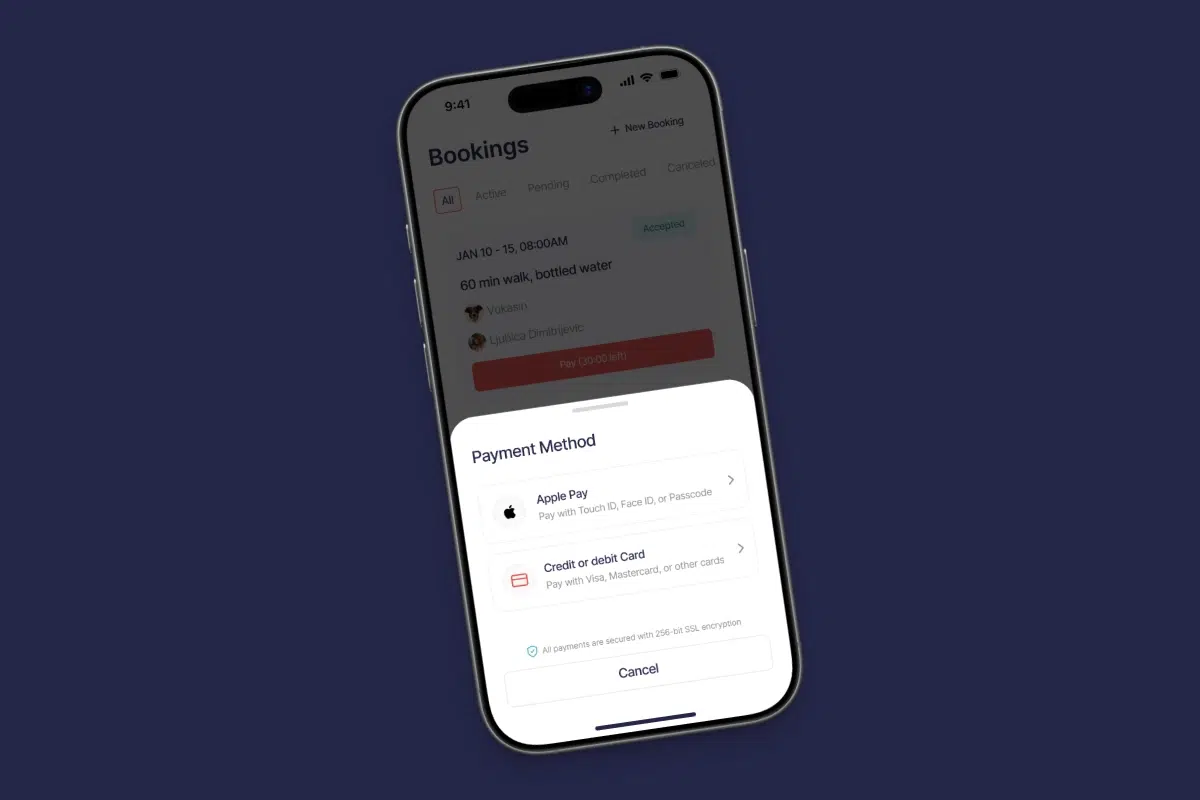
- Apple Pay support – iPhone users, this one is for you. No card details are needed.
- Google Pay support – Android users, same deal. Quick, contactless, and done.
- Automatic payouts to sitters – When you pay, your sitter gets paid. Simple as that.
- Secure transactions – Payments are encrypted and processed with the latest security standards.
- Cleaner interface – The payment flow fits naturally into the app experience without feeling like a detour.
Payments in Pet Watch are now genuinely as easy as booking the service itself.
How to Make a Payment in Pet Watch (Step by Step)
Whether you’re on iOS or Android, the process is the same and it takes less than a minute:
- Open the Pet Watch app and find the service or sitter you want to book.
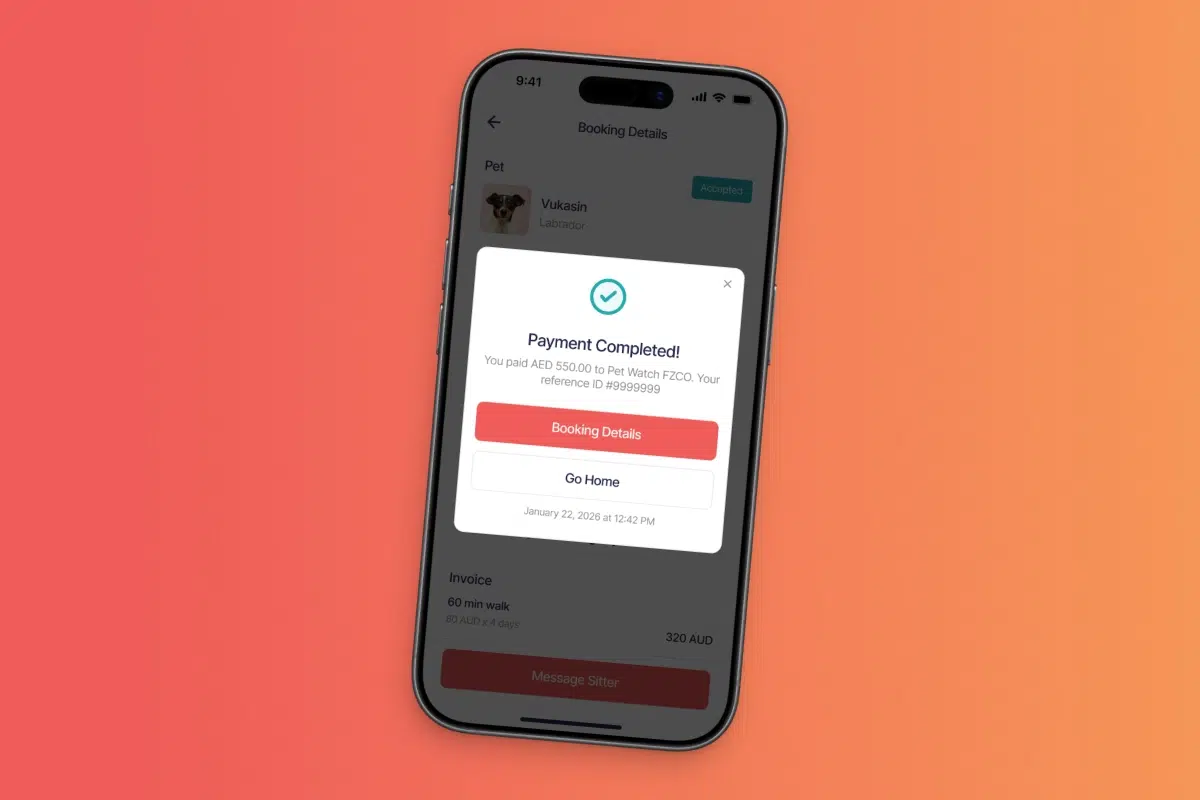
- Tap to proceed to payment – you’ll now be taken directly to the Mamo Pay screen.
- Choose your payment method: card, Apple Pay, or Google Pay.
- Confirm the payment.
- Done! Your booking is confirmed, your sitter is notified, and their payout is on its way.
It really is that smooth. No redirects, no extra logins, no “why isn’t this working” moments.
A Pet Owner’s Take: Paying for Pet Services Has Never Felt This Easy
I’ll be honest – when talking with the users of the app who use Pet Watch regularly for their own pets, the old payment flow was something they’d quietly sigh about.
The first time I tested Mamo Pay in the app, I was genuinely surprised by how fast it went. I booked a sitter for Tito, tapped Apple Pay, confirmed with Face ID, and that was it. The whole thing took about fifteen seconds. No card entry, no waiting for redirects, no second-guessing whether it actually went through.
And knowing that the sitter gets their payout automatically through the same system? That makes the whole experience feel complete. Everyone gets what they need, and the app handles it all behind the scenes.
Pet Watch App Payments: What’s in it for Pet Sitters?
This upgrade isn’t just great news for pet parents – pet sitters benefit just as much. As a service provider on Pet Watch, a smooth and reliable app payment process directly affects your reputation and your earnings.
Here’s what changes for you:
- Clients are more likely to complete bookings when payment is frictionless.
- Fewer failed transactions mean fewer awkward conversations.
- Your payout is processed automatically when the client pays – no chasing, no delays.
- Payments are processed securely through a licensed UAE payment provider.
- The professionalism of the platform reflects you as a sitter.
If you haven’t set up your sitter profile yet, now is genuinely one of the best times to do it.
Is the Mamo Pay Integration Secure?
This is the question we always want to ask before we hand over payment details – and rightly so.
Mamo Pay is a licensed payment provider operating under UAE financial regulations. All transactions are encrypted, and the platform meets PCI DSS compliance standards for secure card processing. When you pay through Apple Pay or Google Pay, your actual card details are never shared with the app – the devices handle the tokenization themselves.
We chose Mamo Pay specifically because of its strong local support in the UAE and its ability to handle the full payment and payout cycle in one secure, transparent system. Both sides of the transaction – pet owner and sitter – are covered.
Short version: Yes, it’s perfectly secure. You’re in good hands.
Download or Update Pet Watch to Access the New Payment Experience
The Mamo Pay integration is live in the latest version of Pet Watch. If you already have the app, just head to your app store and update it – it’s that simple. If you’re new here, you are welcome!
You can download Pet Watch right now:
- Download Pet Watch on the App Store (iOS): https://apps.apple.com/app/pet-watch-pet-care-app-in-uae/id6462990002
- Download Pet Watch on Google Play (Android): https://play.google.com/store/apps/details?id=com.petwatch
Already a user? Open your app store, search for Pet Watch, and tap Update. The new payment system will be available immediately.
Frequently Asked Questions
What is the new payment method in Pet Watch?
Pet Watch has replaced its previous payment provider (Telr) with Mamo Pay – a UAE-based payment platform that supports card payments, Apple Pay, and Google Pay. It’s faster, more secure, and handles both payments and automatic sitter payouts in one seamless system.
Is Mamo Pay safe to use for business payments in Pet Watch?
Yes. Mamo Pay is a licensed payment provider in the UAE and complies with PCI DSS security standards. All payments are encrypted. When using Apple Pay or Google Pay, your card details are never exposed to the app.
Can I use Apple Pay or Google Pay to pay for pet services on Pet Watch?
Yes! The latest Pet Watch update now supports both Apple Pay (for iOS users) and Google Pay (for Android users). You can pay for any service in the app with just a tap – no need to manually enter card details.
Do I need to do anything to get the new Mamo Pay experience?
Just update the Pet Watch app to the latest version via the App Store or Google Play. No extra account setup is needed – the new payment system is built directly into the app.
How does the new Pet Watch payment process work for pet sitters?
When a client completes a booking and pays through Mamo Pay, sitters receive their payout automatically through the same system. No manual transfers, no chasing payments. It’s fast, transparent, and reliable for everyone involved.
By Monja Madan, Founder of Pet Watch App.
May 07, 2026
Table of contents
 Why We Upgraded Our Pet Watch Payment System
What Is Mamo Pay and How Does It Work in Pet Watch?
How to Make a Payment in Pet Watch (Step by Step)
A Pet Owner’s Take: Paying for Pet Services Has Never Felt This Easy
Pet Watch App Payments: What’s in it for Pet Sitters?
Is the Mamo Pay Integration Secure?
Download or Update Pet Watch to access the New Payment Experience
Start using Pet Watch Today
Download our pet services app
Create your and your pet’s profile
Meet your matched caregiver